MemeDash Scripts
Feature awareness for community tools—plus a clear warning that executors and cheats risk bans.
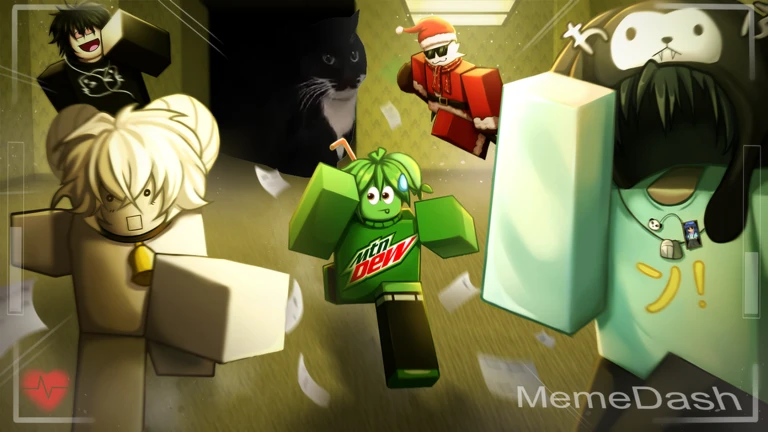
This Scripts Hub covers how community automation and cheat menus are discussed around MemeDash on Roblox. MemeDash by Coleslaw Studio is a fast-paced survival parkour beta built around bunny hopping, air strafing, sliding, and keeping momentum. That movement focus makes the game a magnet for “movement scripts,” farms, and ESP menus. This wiki documents what those feature lists usually claim so you can recognize them—and so you understand the account risk before you touch an executor.
Strong disclaimer: Using third-party scripts, injectors, or exploit clients on Roblox generally violates Roblox Terms of Use. You can lose access to your account, limited items, and groups. We do not host script files, pastebins, or download links. We do not teach injection steps. Educational overview only.
If your goal is legitimate skill, skip straight to Guides, Bunny Hopping, Sliding and Strafing, and the Movement Tech Tier List. Fair play lasts longer than a free fly hack.
Why players look for MemeDash scripts
MemeDash rewards clean movement. Public servers (size 15) get chaotic quickly when everyone is chaining slides and hops. Peak concurrent players have climbed into the thousands, and the like ratio sits near the low-to-mid 80% range—signals of a sticky movement sandbox. In that environment, some players search for:
- Faster grinding or distance farms
- Flight or speed to skip routes
- Vision tools that reveal players or bots through walls
- Lag “fixes” and AFK guards for long sessions
Those searches collide with community hubs that advertise all-in-one menus. Curiosity is common; using the tools is still a ToS gamble.
Common feature names you will see
Community menus advertised for MemeDash-style movement games often claim a mix of the following. Names vary by author; this is a feature vocabulary, not an install guide:
| Feature label | What it usually claims to do | Risk note |
|---|---|---|
| Auto Farm 100m | Automate distance or objective farming | Obvious server-side patterns; high detectability |
| Fly | Free camera / character flight | Breaks parkour intent; easy to report |
| Walk Speed | Multiply ground speed | Desync and anti-cheat flags |
| Noclip | Move through world collision | Breaks map boundaries |
| ESP Players | Draw boxes/names through walls | Unfair PvP/chaos awareness |
| ESP Bots | Highlight NPC or bot entities | Same fairness issues as player ESP |
| Fix Lag | Toggle lighting/quality shortcuts | Sometimes just graphics tweaks; still tied to shady loaders |
| Light Boost | Brighten dark areas | Low gameplay impact, still bundled with risky executors |
| AFK Guard | Anti-idle / auto-rejoin helpers | Can still require injected environments |
Deeper notes on movement-related toggles live on Movement Scripts.
Account safety — read this twice
- Roblox forbids unauthorized clients and exploits. Ban waves happen without individual warnings.
- “Undetected” claims are marketing. Detection windows change; yesterday’s menu can be today’s ban reason.
- Keyloggers hide in free executors. You might lose more than a MemeDash save—password and cookie theft are real.
- VIP features are official. Press [N] on a VIP server for the developer VIP panel. That is not a script.
- Alts are not a shield. Linked billing, device fingerprints, and behavior can still connect accounts.
- Reporting exists. Other players notice impossible fly paths in a parkour lobby.
If a YouTube thumbnail promises “OP MemeDash script 2026,” assume the comments will later fill with ban reports.
Scripts vs skill vs VIP
Keep these lanes separate:
- Skill — Learn Emote Hopping, Pixel Surf, and fair movement from the Guides Hub.
- VIP panel — Official private-server toys documented in v0.6 patch notes.
- Scripts — Third-party ToS risk. Awareness only on this wiki.
Promo rewards, when they exist, belong on the Codes Hub and How to Redeem Codes—never inside an executor.
How this wiki treats script pages
- We describe feature categories so parents, moderators, and curious players know the vocabulary.
- We emphasize Mild maturity, R6, and the intended parkour fantasy: outrun chaos with momentum, not walls hacks.
- We link legitimate controls on Players / Controls: [G] Emote, [C / Left Ctrl] Crouch/Slide, [M] Menu, [N] VIP Menu, [Z] Zoom.
- We refuse to name shady download brands inside article bodies as “recommended sources.”
- We refresh warnings when Updates change anti-cheat or movement rules.
Better alternatives to cheating
Want longer sessions without risking the account that holds your limiteds?
- Practice bhop routes in low-pressure servers, then move up as CCU spikes.
- Use official VIP servers for experimental fun instead of injected fly.
- Track patch changes on Updates Hub so your muscle memory matches the live build.
- Study the Tier List Hub to prioritize techs that actually matter.
- Bookmark Official Links for the Roblox place and Coleslaw Studio group.
MemeDash draws inspiration from movement sandboxes like EVADE and Garry’s Mod-style freerun energy. The fun is the craft—not a checkbox menu.
Related pages
- Movement Scripts — deeper feature and safety write-up
- Guides Hub · Getting Started
- Controls
- Codes Hub — official gifts only when confirmed
- Updates · v0.6 Patch Notes
Play fair, keep your account, and earn your speed the intended way.
Frequently Asked Questions
Quick answers for MemeDash players.
Does this wiki give MemeDash script downloads?
No. We only describe common feature names and safety risks. We do not host, link, or walk through injectors or paste scripts.
Can I get banned for using scripts in MemeDash?
Yes. Unauthorized clients and exploits violate Roblox Terms of Use. Bans can remove access to your account and items without a refund path.
Is the VIP Menu a script?
No. Press [N] on a VIP server to open Coleslaw Studio’s official VIP panel. That is a supported private-server feature, not a third-party cheat.
What do Auto Farm, ESP, and Noclip mean?
They are common cheat-menu labels for automated grinding, wall hacks, and collision bypass. See Movement Scripts for a fuller glossary and why each is risky.
How should I get better without scripts?
Use the Guides Hub—especially Bunny Hopping, Sliding and Strafing, Emote Hopping, and Pixel Surf—plus the Movement Tech Tier List.